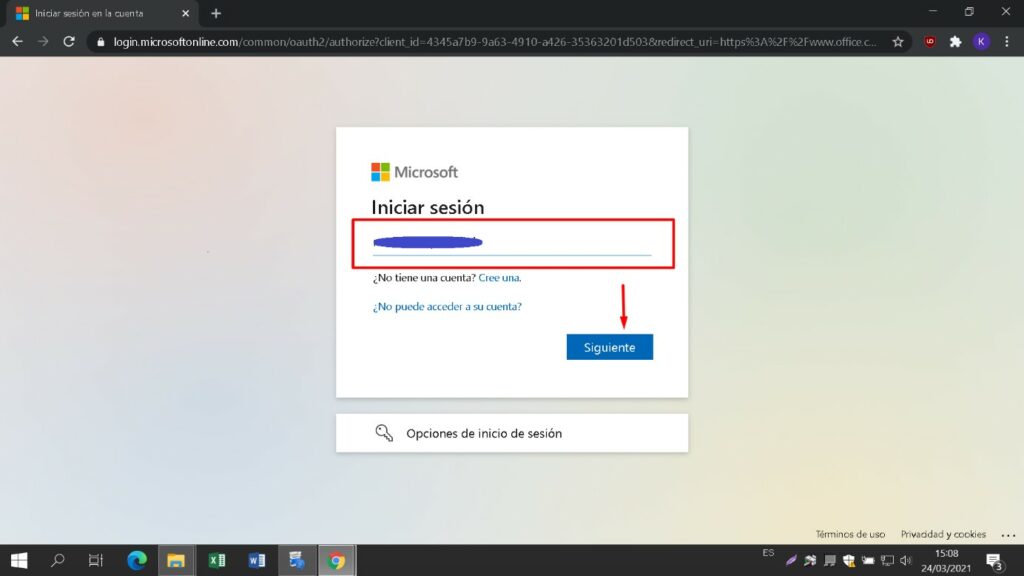
Ανοίξτε το σύνδεσμο και συνδεθείτε με το λογαριασμό και τον κωδικό πρόσβασης που σας παραδόθηκε στο email σας.
https://login.microsoftonline.com
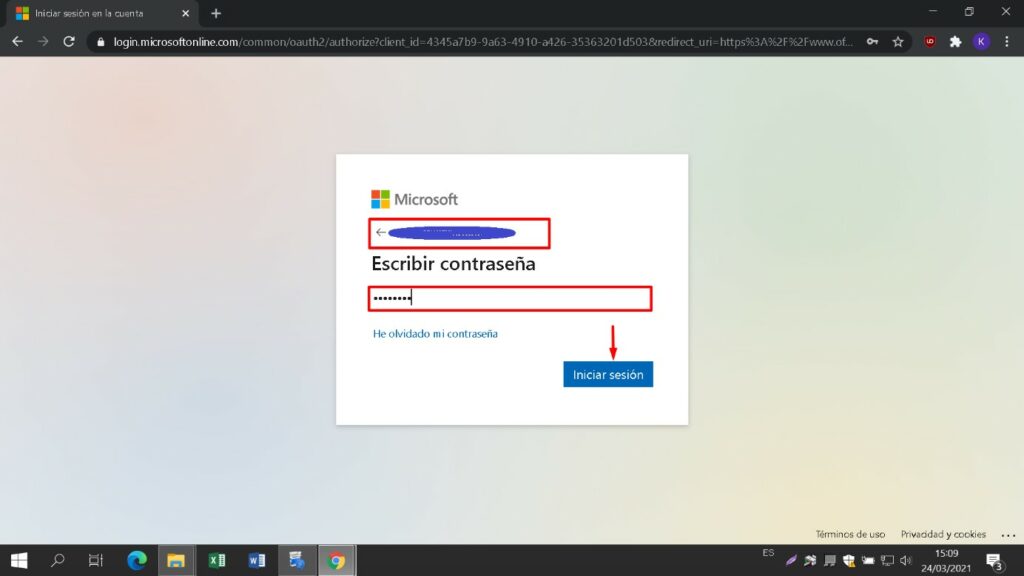
Εισάγετε έναν νέο κωδικό πρόσβασης για να πάρετε στην κατοχή σας το προϊόν που αγοράσατε. Στο πρώτο πεδίο χρησιμοποιήστε τον κωδικό πρόσβασης που εστάλη στο e-mail σας, στα επόμενα δύο εισάγετε τον νέο κωδικό πρόσβασης της επιλογής σας. Βεβαιωθείτε ότι περιέχει τουλάχιστον 8 ψηφία με τουλάχιστον ένα κεφαλαίο γράμμα.
Στη συνέχεια, εισάγετε τον αριθμό τηλεφώνου και το email σας, όπου θα λάβετε τους κωδικούς πιστοποίησης για να συνεχίσετε τη διαδικασία.
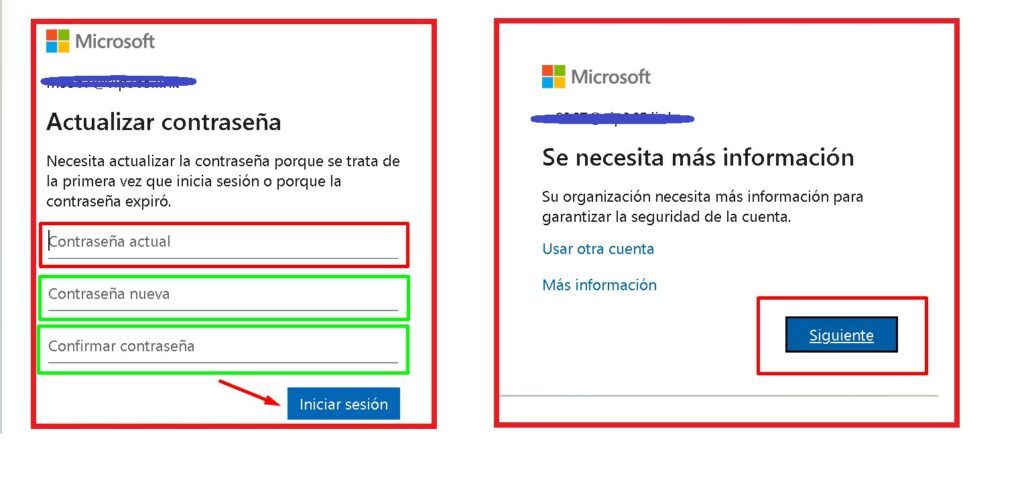
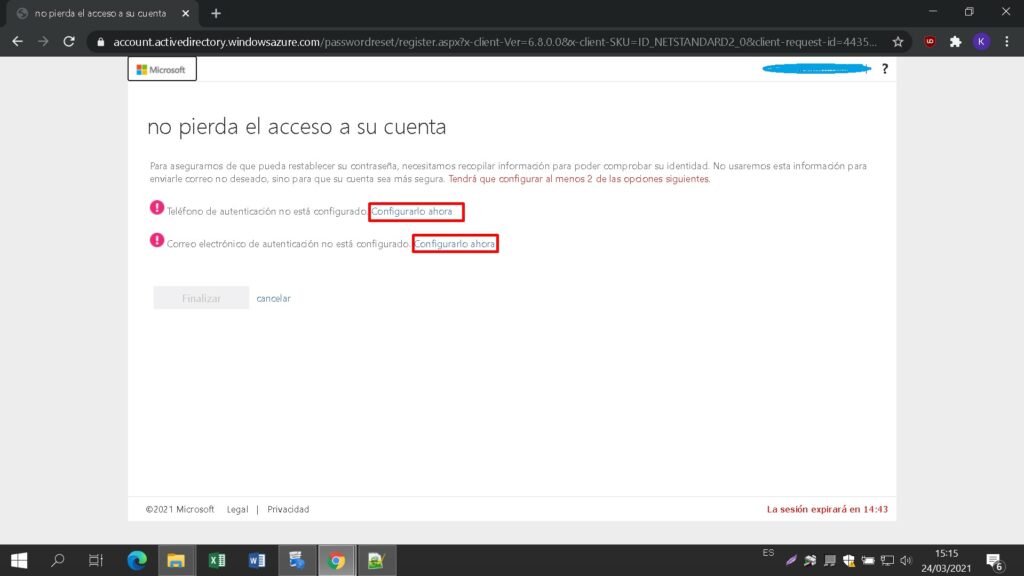
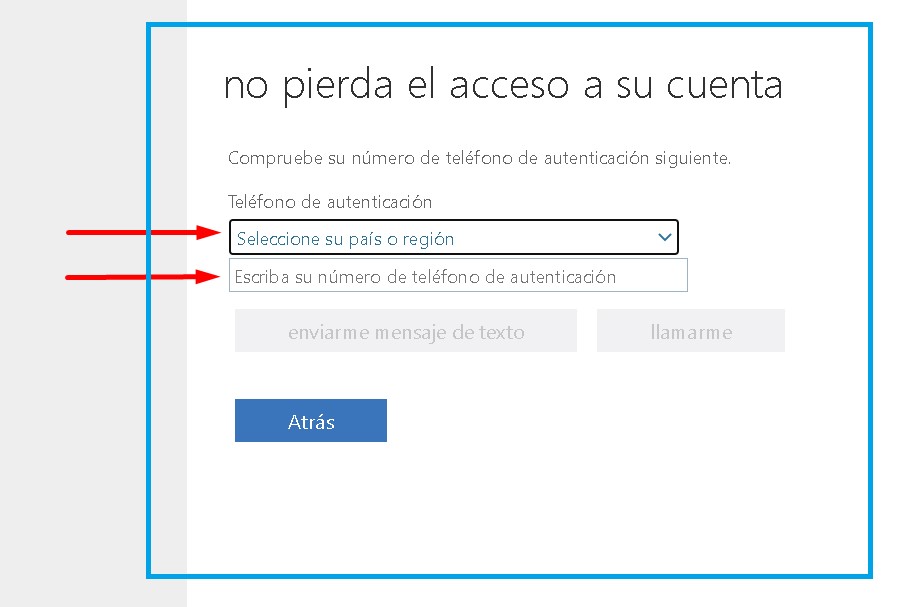
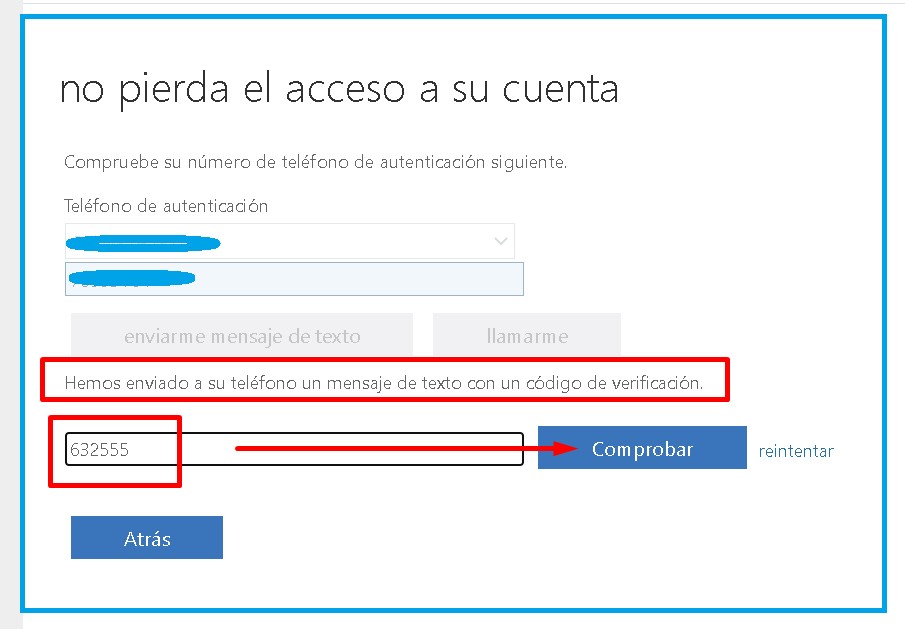
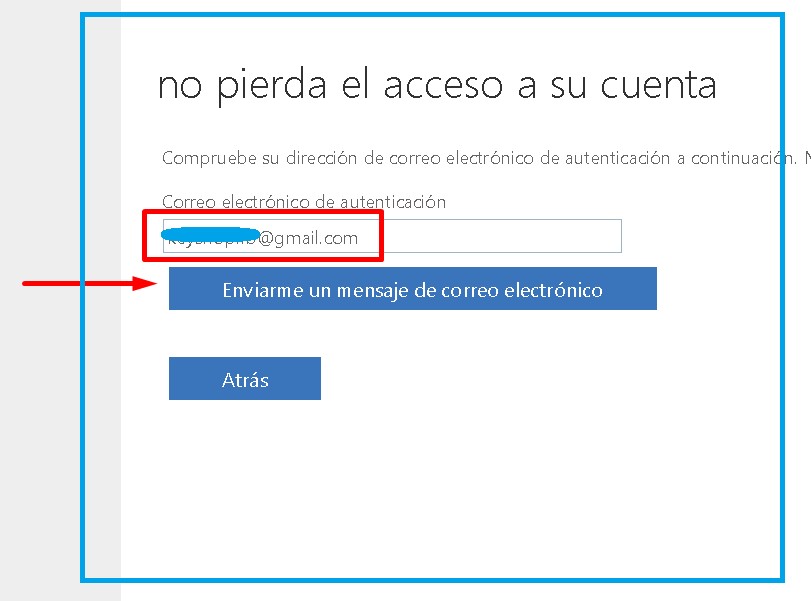
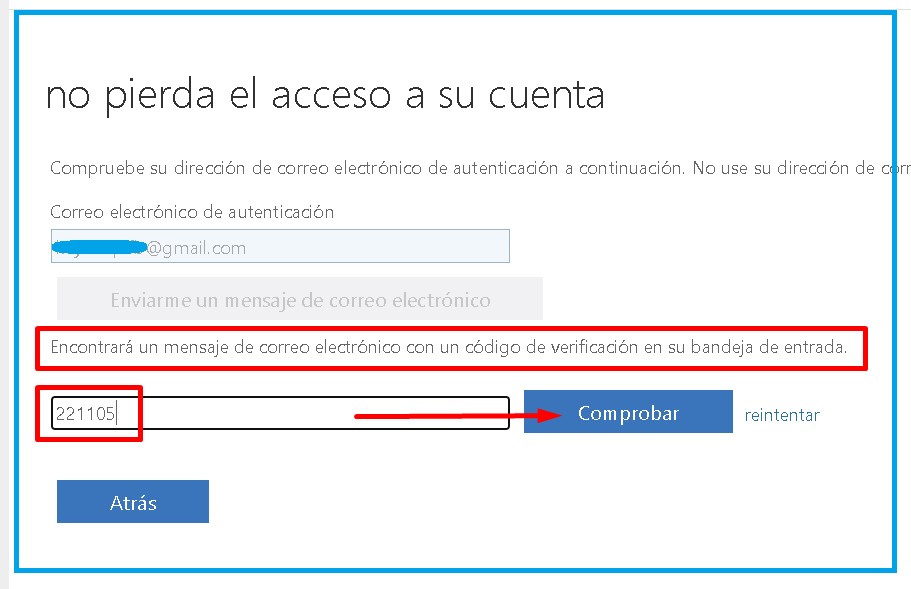
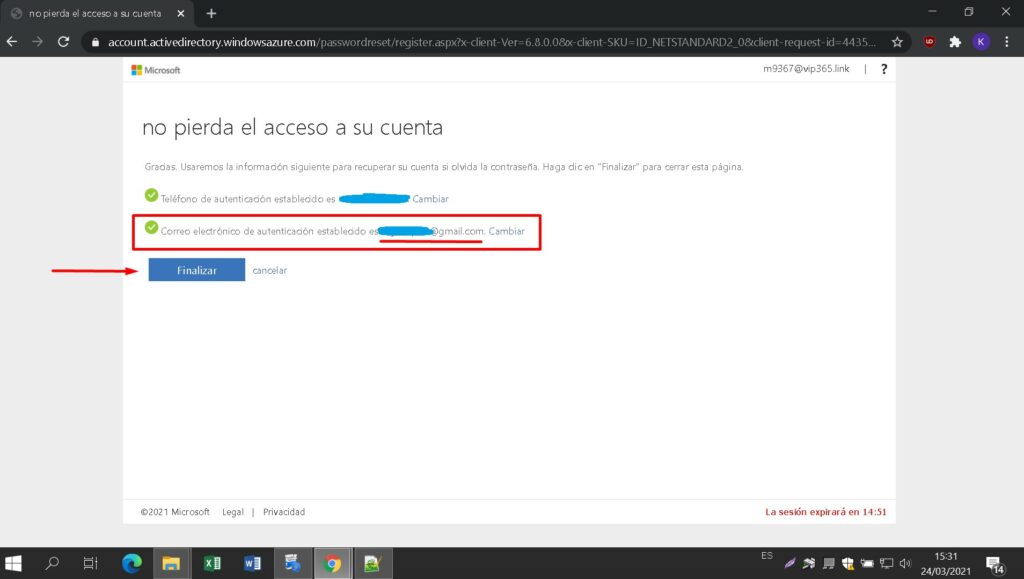
Εισάγετε έναν νέο κωδικό πρόσβασης για να πάρετε στην κατοχή σας το προϊόν που αγοράσατε. Στο πρώτο πεδίο χρησιμοποιήστε τον κωδικό πρόσβασης που εστάλη στο e-mail σας, στα επόμενα δύο εισάγετε τον νέο κωδικό πρόσβασης της επιλογής σας. Βεβαιωθείτε ότι περιέχει τουλάχιστον 8 ψηφία με τουλάχιστον ένα κεφαλαίο γράμμα. Στη συνέχεια, εισάγετε τον αριθμό τηλεφώνου και το email σας, όπου θα λάβετε τους κωδικούς πιστοποίησης για να συνεχίσετε τη διαδικασία.
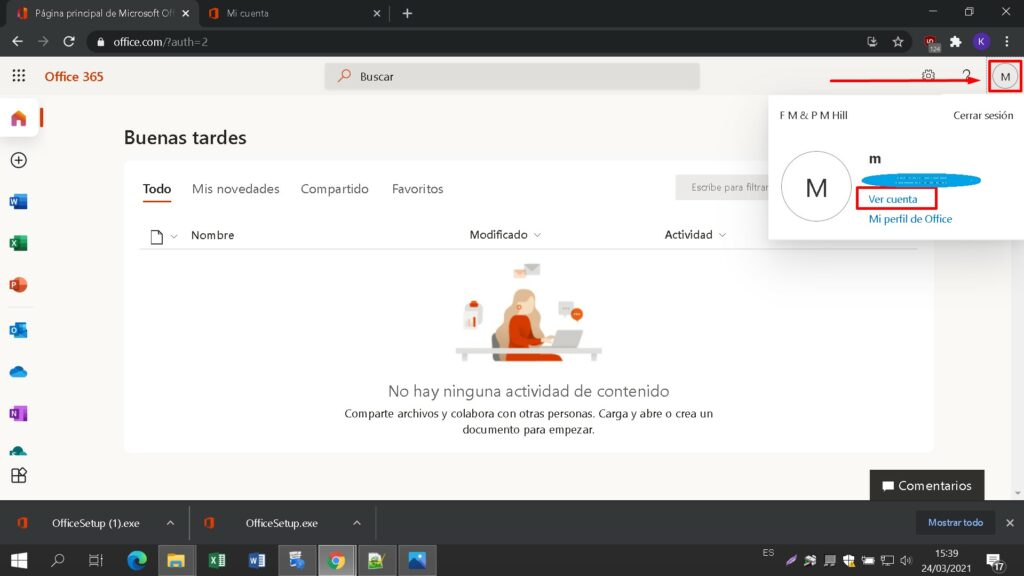
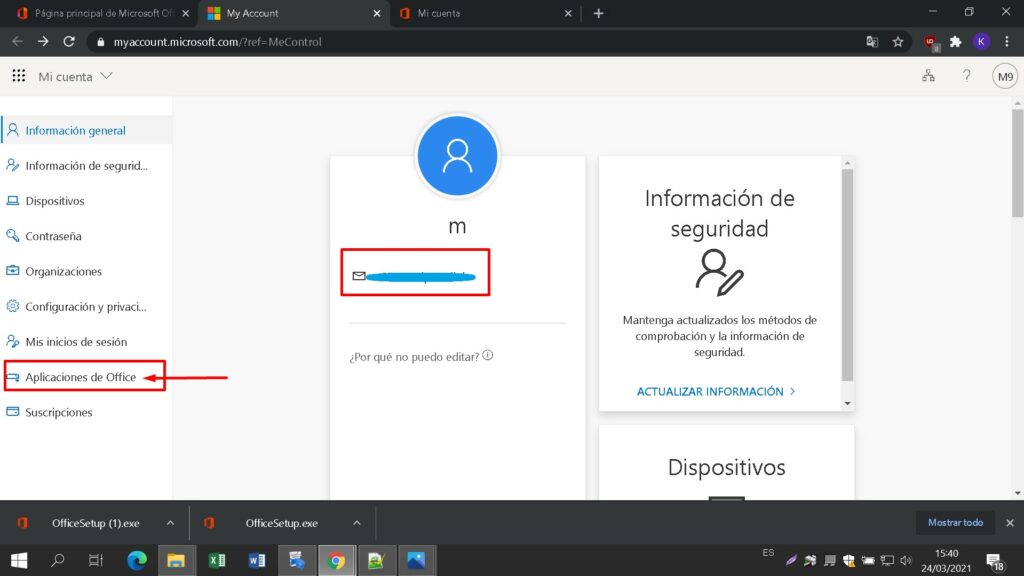
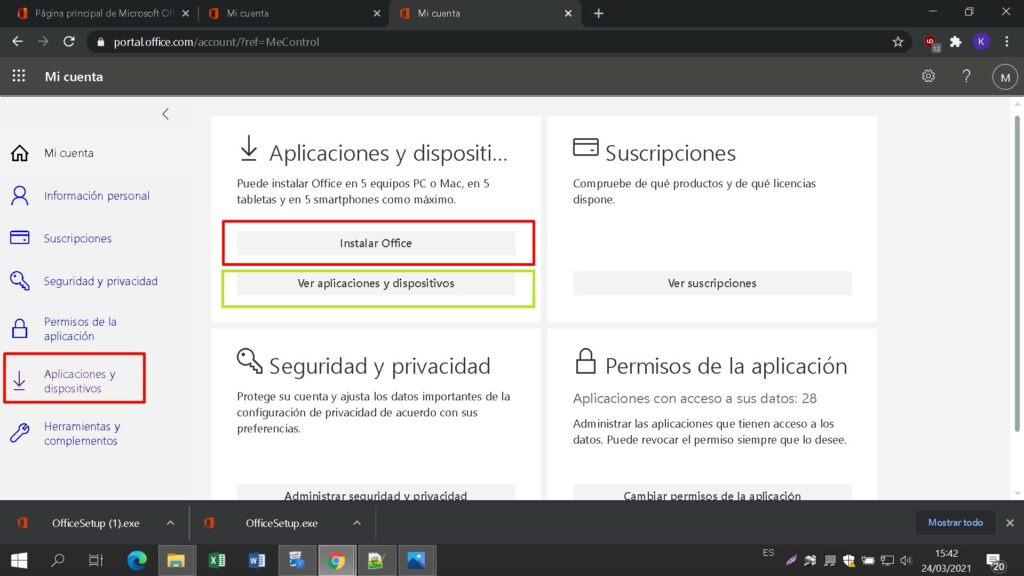
Βρείτε το αρχείο εγκατάστασης που κατεβάσατε (συνήθως βρίσκεται στο φάκελο Downloads). Κάντε δεξί κλικ στο αρχείο και επιλέξτε “Εκτέλεση ως διαχειριστής”. Θα ερωτηθείτε αν θέλετε να αφήσετε την εφαρμογή να κάνει αλλαγές στη συσκευή σας. Κάντε κλικ στο “Ναι”.
Σημαντικό: πρέπει να είστε συνδεδεμένοι στο διαδίκτυο για να ολοκληρώσετε την εγκατάσταση, καθώς ο εγκαταστάτης θα κατεβάσει τα απαραίτητα αρχεία απευθείας από τη Microsoft.
Συνιστάται να πλήρες την εγκατάσταση και την ενεργοποίηση του προϊόντος πριν συνδεθείτε με το λογαριασμό σας στη Microsoft.
Αφού επιλέξετε όλες τις επιθυμητές επιλογές, κάντε κλικ στο “Install Microsoft Office”.”
Το αρχείο εγκατάστασης θα μεταφορτωθεί, επιλέξτε “savefile” όταν απαιτείται.
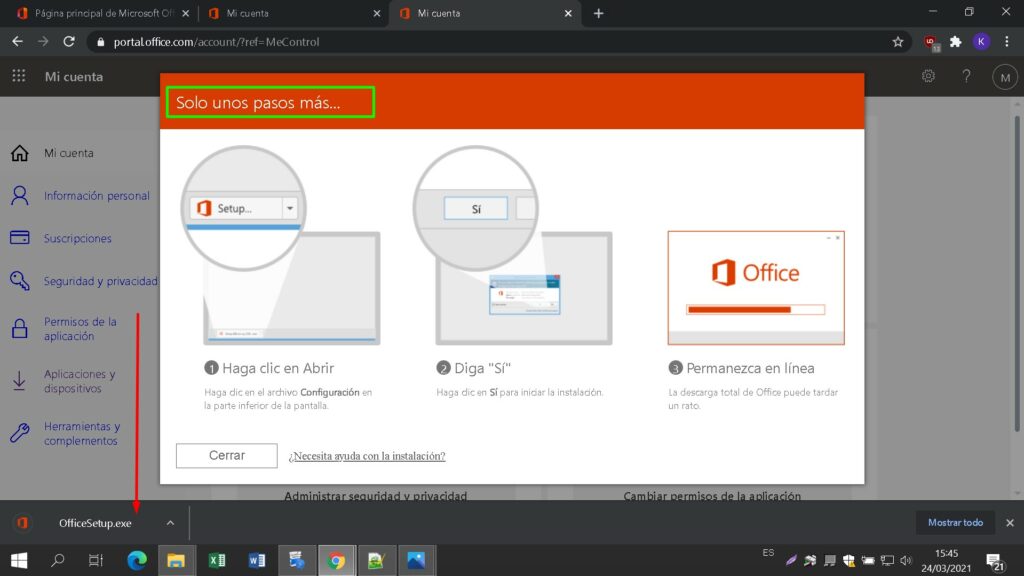
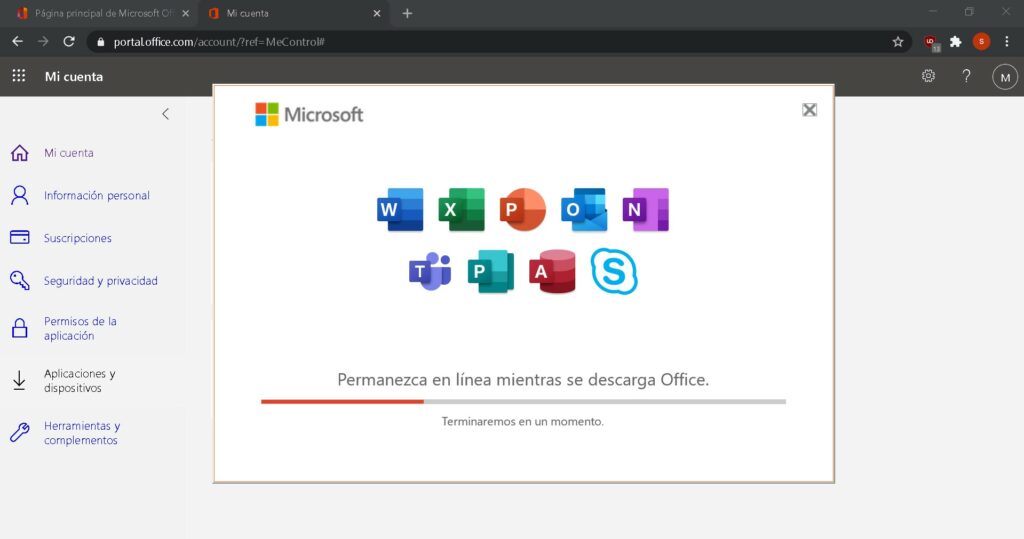
Θα δείτε τη γραμμή προόδου της εγκατάστασης.
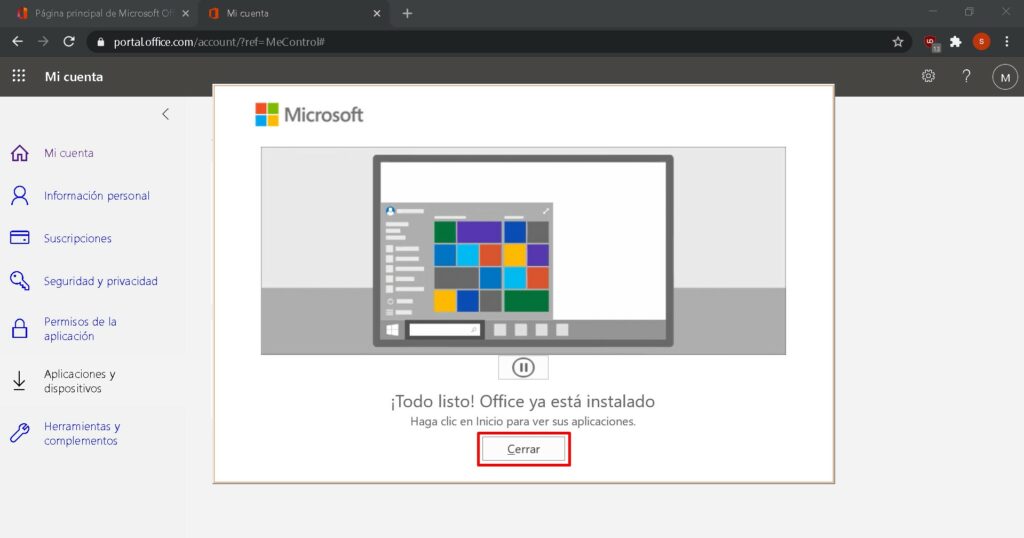
Μόλις ολοκληρωθεί η εγκατάσταση, κάντε κλικ στο κουμπί “Close” (Κλείσιμο).
Τώρα μπορείτε να βρείτε τα πακέτα Microsoft Office στο μενού Έναρξη ή χρησιμοποιώντας την επιλογή αναζήτησης των Microsoft Windows.
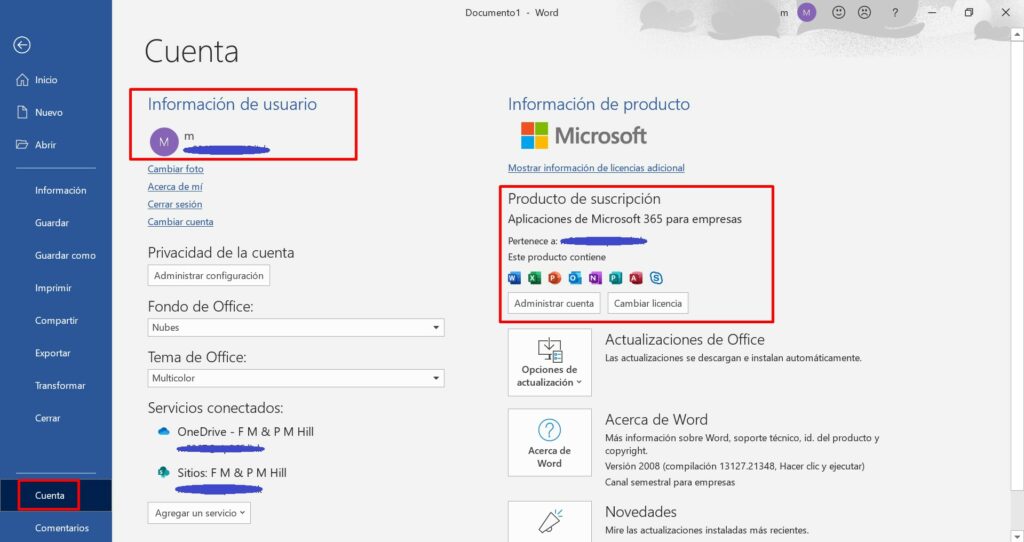
Για να επαληθεύσετε ότι η ενεργοποίηση του προϊόντος έχει πραγματοποιηθεί με επιτυχία, μπορείτε να ανοίξετε οποιαδήποτε εφαρμογή Microsoft Office, όπως το Excel, και να μεταβείτε στην επιλογή Αρχείο-> Λογαριασμός ”. Θα δείτε το λογαριασμό της Microsoft που σχετίζεται με το προϊόν.